
Starting your journey in business intelligence can feel a bit overwhelming. With so many platforms promising powerful insights, it’s hard to know where to begin. That’s why we’ve created this detailed guide to help you understand the best BI tools for beginners, what makes them beginner-friendly, and how you can start using them effectively. By the end of this guide, you’ll have a clear roadmap to choose a BI tool that fits your needs.
What Are BI Tools and Why Are They Important?
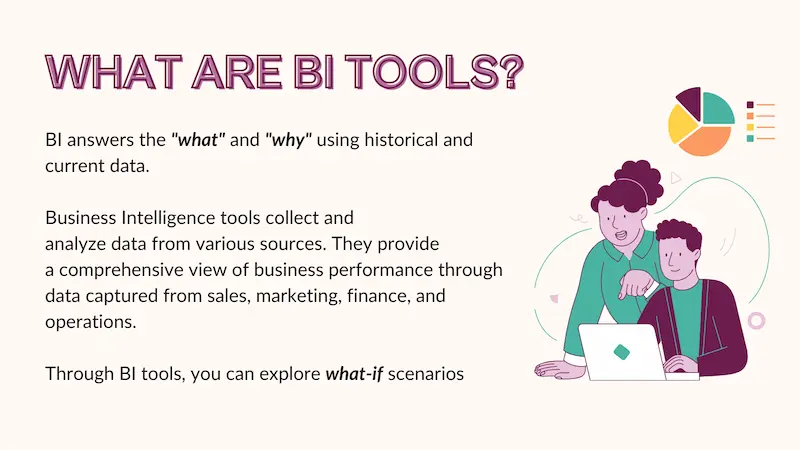
Before diving into the tools, let’s clarify what BI tools are.
Business Intelligence (BI) tools are software applications that help businesses gather, process, and analyze data. The ultimate goal of BI tools is to transform raw data into actionable insights that help businesses make informed decisions.
Think of BI tools as your “data assistant.” They take numbers from different sources—like sales, marketing, or customer service—and turn them into visual dashboards, charts, and reports that are easy to understand.
For beginners, a good BI tool should not only provide insights but also be easy to learn, with minimal technical skills required.
Key Features to Look for in BI Tools for Beginners
When choosing a BI tool as a beginner, focus on these critical features:
- User-Friendly Interface – Drag-and-drop functionality and simple menus are a must.
- Integration with Data Sources – The tool should easily connect with your spreadsheets, databases, and other business apps.
- Data Visualization Options – Charts, graphs, and dashboards help you understand trends at a glance.
- Learning Resources – Tutorials, templates, and community support make learning faster and less intimidating.
- Cost and Trial Options – Free versions or trial periods allow you to experiment without financial risk.
Top Best BI Tools for Beginners
Here’s a detailed breakdown of the top BI tools you should consider as a beginner:
1. Microsoft Power BI
Power BI is one of the most widely used BI tools globally. It’s a beginner-friendly platform that provides a mix of ease-of-use and advanced capabilities.
Why Power BI is great for beginners:
- Drag-and-Drop Interface: Easily create dashboards without coding.
- Integration: Connects seamlessly with Excel, SharePoint, SQL databases, and cloud services.
- Pre-Built Templates: Get started quickly with ready-made dashboards.
- Free Version: Ideal for practicing and learning without investment.
- Strong Community: Access tutorials, forums, and official Microsoft learning resources.
Power BI is perfect for beginners who want to quickly start visualizing data while leaving room to grow into advanced analytics.
2. Tableau
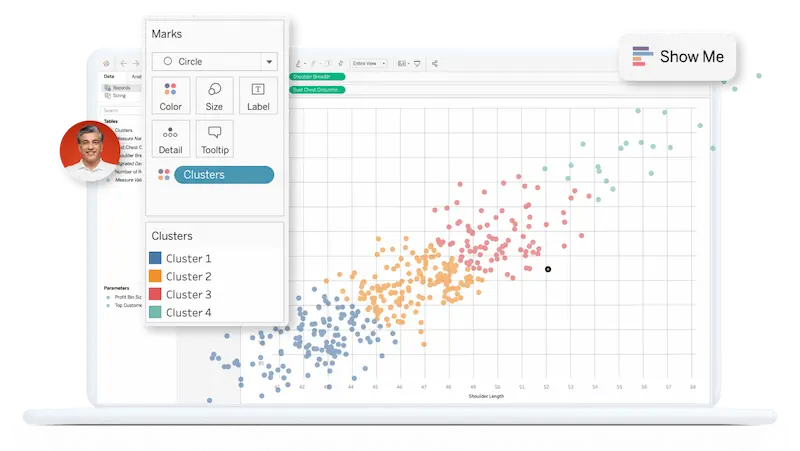
Tableau is known for its data visualization strength and is widely used by businesses of all sizes. While it can handle complex data, its intuitive interface makes it approachable for beginners too.
Why Tableau is beginner-friendly:
- Interactive Dashboards: Create reports and visualizations that can be easily shared.
- Drag-and-Drop Simplicity: No need to write complex code.
- Tableau Public: Free version that allows beginners to practice.
- Large Online Community: Find tutorials, courses, and templates to learn faster.
If your main focus is stunning visualizations and storytelling with data, Tableau is a great choice for beginners.
3. Google Data Studio
Google Data Studio is a free, cloud-based BI tool, making it ideal for beginners and small businesses.
Why it’s ideal for beginners:
- Cost-Effective: Completely free to use with a Google account.
- Integration: Works with Google Analytics, Google Ads, Google Sheets, and BigQuery.
- Real-Time Data: Dashboards update automatically when data changes.
- Easy Sharing: Reports can be shared like Google Docs, perfect for collaboration.
Google Data Studio is particularly great if you are already using Google tools in your business ecosystem.
4. Zoho Analytics
Zoho Analytics is part of the Zoho suite of business tools. It combines AI-powered insights with a beginner-friendly interface.
Why it works well for beginners:
- AI-Assisted Analytics: Helps identify trends and insights automatically.
- Pre-Built Templates: Quickly generate dashboards without starting from scratch.
- Affordable Pricing: Flexible plans suitable for small businesses or beginners.
- Clean Interface: Simple menus and intuitive controls reduce the learning curve.
Zoho Analytics is perfect if you want AI suggestions to guide your analysis and reduce manual effort.
You may also like to read this:
Artificial Intelligence Tools For Business | Boost Growth
Best AI Tools For Productivity | Work Smarter With AI
AI Automation Tools For Beginners – Boost Productivity
Practical AI Solutions For Companies | Boost Efficiency
How AI Improves Business Operations For Smarter Efficiency
5. Qlik Sense
Qlik Sense is a BI tool that offers interactive data exploration and visualization. Its smart search and AI-driven analytics make it very approachable for beginners.
Why Qlik Sense is beginner-friendly:
- Guided Analytics: Helps beginners explore data without advanced knowledge.
- Interactive Dashboards: Drag-and-drop features for easy visualization.
- AI Recommendations: Suggests insights and charts based on your data.
- Free Desktop Version: Practice without paying for the full platform.
Qlik Sense is ideal for beginners who want a balance between ease of use and powerful analytics.
Tips for Learning BI Tools as a Beginner
Even with beginner-friendly tools, learning BI requires practice. Here are some tips:
- Start Small: Begin with simple dashboards before tackling complex reports.
- Use Templates: Pre-built templates save time and help you understand tool capabilities.
- Practice Regularly: The more you use a tool, the faster you’ll understand its features.
- Leverage Tutorials: Platforms like YouTube, official documentation, and online courses are invaluable.
- Experiment with Data: Try importing different types of data to see how insights vary.
Remember, BI skills improve over time. Consistency is more important than speed.
How to Choose the Right BI Tool for You
When selecting your first BI tool, consider the following:
- Your Goal: Do you want stunning visualizations, AI-driven insights, or integration with existing tools?
- Budget: Free or affordable options like Google Data Studio and Power BI are great for beginners.
- Support & Community: Check if the tool has learning resources and community support.
- Ease of Learning: Tools like Power BI and Tableau are beginner-friendly with lots of tutorials.
By evaluating these factors, you can pick a tool that fits your needs and grow your BI skills effectively.
Conclusion
Choosing the best BI tools for beginners doesn’t have to be confusing. Tools like Microsoft Power BI, Tableau, Google Data Studio, Zoho Analytics, and Qlik Sense provide beginner-friendly interfaces, tutorials, and free versions to help you start analyzing data quickly.
By starting small, using templates, and practicing regularly, you can turn raw data into actionable insights that will help your business make smarter decisions. The key is to pick a tool that matches your goals, practice consistently, and explore its features.
FAQs About Best BI Tools for Beginners
1. What is a BI tool, and why do beginners need it?
A BI (Business Intelligence) tool is software that helps collect, analyze, and visualize data to make informed decisions. Beginners benefit from BI tools because they simplify data interpretation, create dashboards quickly, and allow users to gain insights without advanced technical skills.
2. Which BI tool is easiest for beginners to learn?
Microsoft Power BI and Google Data Studio are considered the easiest for beginners. They have intuitive drag-and-drop interfaces, templates, free versions, and extensive tutorials that make learning fast and approachable.
3. Are free BI tools sufficient for beginners?
Yes! Free versions of BI tools like Power BI, Tableau Public, and Google Data Studio offer enough features for beginners to learn and practice. Once you advance, you can explore paid versions for additional features and integrations.
4. Can beginners create dashboards with BI tools?
Absolutely. Most beginner-friendly BI tools like Tableau, Power BI, and Qlik Sense allow users to create interactive dashboards with minimal effort. Pre-built templates and drag-and-drop features make it easy to visualize data.
5. Do I need coding skills to use BI tools?
No. Most beginner-focused BI tools are designed for users with little to no coding experience. You can create dashboards, charts, and reports using drag-and-drop interfaces. Advanced features may require some knowledge of SQL or scripting, but beginners can start without it.