
In today’s fast-moving business environment, every decision counts. If you want to stay competitive, you need insights from your data—but analyzing data can seem complicated and overwhelming. That’s where simple business intelligence software comes in. These tools are designed to make data analysis accessible to everyone, even if you don’t have an IT background.
Whether you run a small business, manage a team, or simply want to understand your company’s performance better, simple BI software helps you turn raw data into actionable insights. Let’s explore how it works, why it’s beneficial, and how to get started.
What Is Simple Business Intelligence Software?

Simple business intelligence software is a tool that allows organizations to collect, process, and analyze business data in an easy-to-understand format. Unlike traditional BI systems that can be complex and require technical expertise, simple BI tools focus on usability and quick results.
The main goal is to make data-driven decision-making approachable for all users. They often include:
- Interactive dashboards: See your data visually with charts, graphs, and tables.
- Drag-and-drop report building: Create custom reports without writing code.
- Pre-built templates: Quickly analyze common business metrics like sales, revenue, or customer behavior.
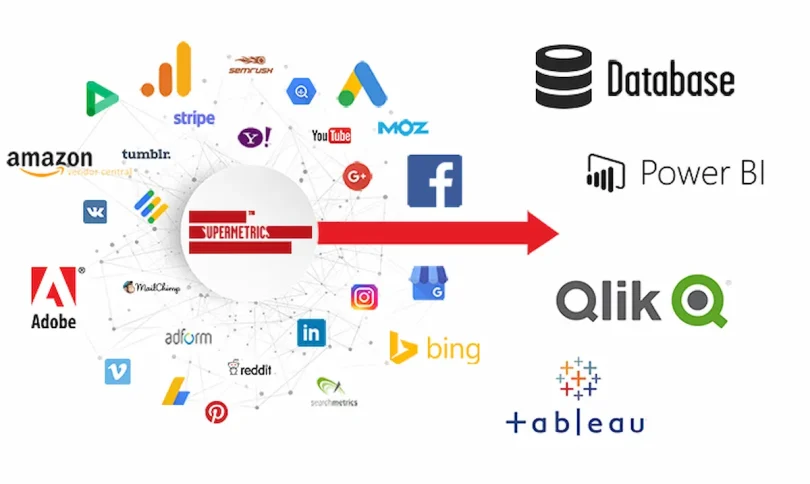
- Data integration: Combine data from multiple sources such as Excel, CRM software, or accounting tools.
- Collaboration: Share insights with your team in real-time.
Think of simple BI software as a compass for your business. It points you in the right direction by showing trends, patterns, and performance metrics that are easy to understand.
Benefits of Using Simple Business Intelligence Software
Here’s why businesses love simple BI tools:
1. Faster and Smarter Decision-Making
With real-time data dashboards, managers and business owners can make decisions quickly. No more waiting for monthly reports or manually consolidating spreadsheets.
2. Improved Productivity
Employees can generate reports and dashboards themselves without relying on IT teams. This reduces bottlenecks and streamlines workflow.
3. Cost-Effective Analytics
Many simple BI tools are affordable, cloud-based, or even free, making them accessible for small businesses or startups.
4. Enhanced Accuracy
Automatic data collection reduces human errors and ensures that decisions are based on accurate, consistent information.
5. User-Friendly Experience
Even users with minimal technical skills can navigate the software, build reports, and understand insights without intensive training.
Key Features of Simple Business Intelligence Software
When selecting a simple BI tool, look for these essential features:
- Ease of Use: The software should have an intuitive interface that anyone can navigate.
- Data Integration: Ability to connect with multiple sources like Google Sheets, Excel, or accounting software.
- Customizable Dashboards: Create dashboards tailored to your business goals and KPIs.
- Real-Time Reporting: Monitor your business performance instantly.
- Mobile Access: Check insights on-the-go from your smartphone or tablet.
- Collaboration and Sharing: Export reports, share dashboards, or assign access to team members.
- Security: Ensure that your data is protected and compliant with regulations.
Popular Simple Business Intelligence Software Tools
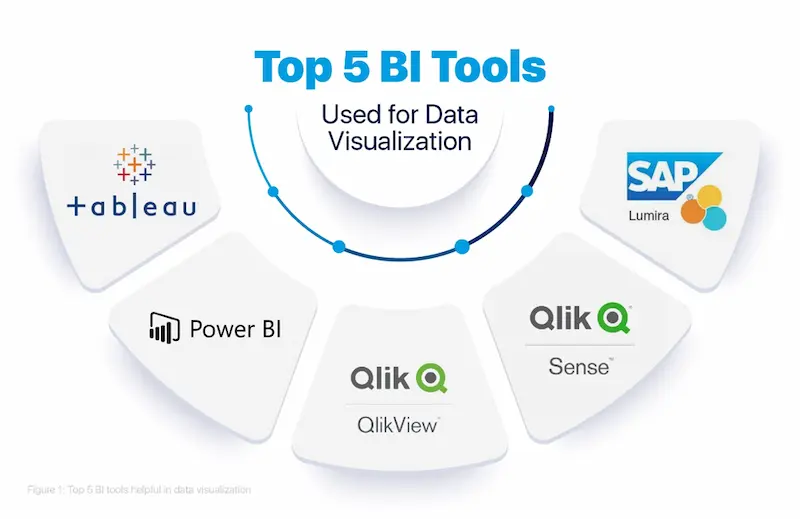
Here’s a detailed look at some beginner-friendly options:
1. Tableau Public
- Best for: Interactive visual dashboards
- Pros: Drag-and-drop interface, strong visualization features
- Cons: Free version data is public
2. Microsoft Power BI
- Best for: Integration with Microsoft ecosystem
- Pros: Pre-built templates, real-time dashboards, scalable
- Cons: Slight learning curve for advanced features
3. Zoho Analytics
- Best for: Small businesses and marketers
- Pros: Easy data import, intuitive drag-and-drop report builder
- Cons: Limited advanced analytics features in free version
4. Google Data Studio
- Best for: Marketing data and free analytics
- Pros: Free, integrates with Google Ads, Sheets, and Analytics
- Cons: Less suited for complex enterprise data
5. Qlik Sense Cloud
- Best for: Quick insights with visual dashboards
- Pros: User-friendly, smart data visualization, collaboration tools
- Cons: Some advanced features require paid version
How to Get Started with Simple BI Software
- Identify Your Goals: Start with one department or one metric, like sales, marketing, or customer satisfaction.
- Collect Your Data: Gather data from different sources like Excel sheets, CRM software, or Google Analytics.
- Choose the Right Tool: Pick a simple BI tool based on your business size, budget, and needs.
- Use Pre-Built Templates: Start with templates to save time and get quick insights.
- Train Your Team: Provide basic training so everyone knows how to use dashboards and generate reports.
- Review and Adjust: Regularly check your dashboards and refine KPIs to ensure meaningful insights.
You may also like to read this:
How AI Improves Business Operations For Smarter Efficiency
Best BI Tools For Beginners: Visualize Data Without Coding
Business Intelligence Tools Comparison: Top BI Platforms
How To Use BI Tools: Beginner’s Step-By-Step Guide
BI Reporting Tools For Business: Boost Decisions Fast
Real-Life Example
Imagine you run a small retail store. Using simple BI software like Zoho Analytics, you can:
- Track daily sales by product category.
- Visualize inventory trends to avoid stock shortages.
- Analyze customer demographics to plan marketing campaigns.
- Share a weekly performance dashboard with your team automatically.
All of this happens without needing a data scientist—just a few clicks, and you have insights to make smarter business decisions.
Conclusion
Simple business intelligence software is not just a tool—it’s a game-changer for small businesses, teams, and non-technical users. It helps you understand your data, make informed decisions, and improve business performance without the steep learning curve of traditional BI systems.
By choosing the right tool, starting small, and focusing on the key metrics that matter to your business, you can transform raw data into actionable insights. The best part? You don’t need to be a tech expert—simple BI software makes it easy for anyone to leverage the power of data.
FAQs on Simple Business Intelligence Software
1. What is simple business intelligence software?
Answer: Simple business intelligence software is a user-friendly tool that helps businesses collect, analyze, and visualize data. Unlike complex BI systems, it is designed for ease of use, allowing non-technical users to create reports, dashboards, and actionable insights quickly.
2. Who can use simple BI software?
Answer: Anyone in a business can use it—managers, team leads, small business owners, marketers, or even employees with minimal technical knowledge. The goal is to make data accessible and understandable without requiring IT expertise.
3. What are the main benefits of simple BI software?
Answer: The key benefits include:
Faster decision-making with real-time data
Improved productivity by reducing reliance on IT
Cost-effectiveness, with many affordable or free options
Accurate insights by reducing human error
Easy-to-use dashboards and visualizations
4. Do I need technical knowledge to use simple BI tools?
Answer: No. These tools are designed for beginners. Most have drag-and-drop dashboards, pre-built templates, and intuitive interfaces that don’t require coding or advanced technical skills.
5. Can simple BI software integrate with other tools?
Answer: Yes. Most tools can integrate with data sources like Excel, Google Sheets, CRM systems, accounting software, and even cloud databases, allowing you to consolidate all your data in one place.