
In today’s fast-paced digital world, staying productive is not just about working harder—it’s about working smarter. That’s where AI comes in. The best AI tools for productivity help you manage time, automate repetitive tasks, and optimize workflows, allowing you to focus on the work that truly matters. Whether you’re a student, entrepreneur, freelancer, or part of a large team, AI-powered productivity tools can transform the way you work.
In this guide, we’ll explore different categories of AI productivity tools, explain their benefits, and highlight some of the most effective options available today.
1. AI Task Management Tools
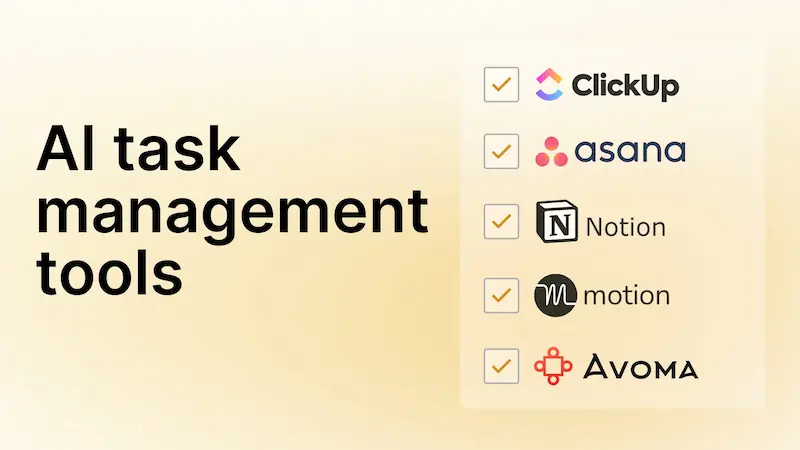
Task management is the backbone of productivity. AI task management tools go beyond simple to-do lists—they can prioritize, schedule, and even predict which tasks you should focus on.
Key Tools:
- Trello + Butler AI: Trello is a flexible project management board, and Butler AI adds automation to it. You can automatically move cards, set deadlines, and create recurring tasks without lifting a finger.
- Todoist with AI: This tool not only helps you create to-do lists but also uses AI to analyze your productivity habits. It can suggest which tasks to tackle first based on urgency and your personal workflow.
Why it helps: AI-powered task management reduces decision fatigue. You spend less time figuring out what to do next and more time actually doing it.
2. AI Writing Assistants
Writing is an essential part of work, whether it’s emails, reports, or content creation. AI writing assistants can generate, edit, and refine your text, saving you hours.
Key Tools:
- ChatGPT: Perfect for drafting emails, blog posts, or marketing copy. You can provide a prompt, and it will create structured, coherent content in seconds.
- Grammarly: Beyond spelling and grammar, Grammarly’s AI suggests tone adjustments, clarity improvements, and concise phrasing. It’s like having a personal editor on call.
- Jasper AI: Tailored for marketing content, Jasper AI can help create ad copy, social media posts, and website content with a human-like touch.
Why it helps: Writing assistants streamline communication, improve quality, and allow you to focus on strategic thinking rather than drafting every word manually.
3. AI Note-Taking Tools
Keeping track of ideas, meetings, and research can be overwhelming. AI note-taking tools automatically transcribe, summarize, and organize your notes.
Key Tools:
- Otter.ai: Records meetings and generates real-time transcriptions. It can highlight key points, making it easy to review without listening to the full recording.
- Notion AI: Combines note-taking with smart content generation. You can summarize long notes, create tasks from bullet points, and even draft content from rough ideas.
- Evernote AI: Uses AI to tag and organize notes automatically, so you can search and retrieve information faster than ever.
Why it helps: You spend less time on administrative work and more time applying insights from your notes.
4. AI Scheduling Tools
Scheduling is one of the most time-consuming tasks for professionals. AI scheduling tools automate calendar management and minimize back-and-forth emails.
Key Tools:
- Clockwise: Optimizes your calendar by creating blocks of uninterrupted focus time, moving meetings around, and suggesting ideal slots for collaboration.
- x.ai: Acts as a virtual assistant to schedule meetings. It coordinates with participants, finds available time slots, and even sends reminders automatically.
- Reclaim.ai: Automatically adjusts your calendar to prioritize high-impact work while managing recurring meetings efficiently.
Why it helps: AI scheduling ensures your day is optimized for productivity, giving you more focus time and less administrative hassle.
5. AI Project Management Tools
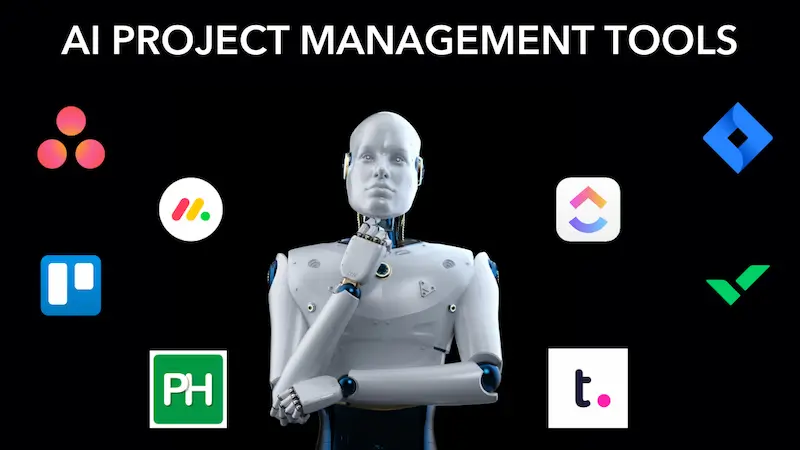
For teams and businesses, project management can be complex. AI tools analyze workflows, predict bottlenecks, and automate repetitive project tasks.
Key Tools:
- Asana with AI: AI features in Asana predict task completion times, suggest priorities, and even flag potential delays in projects.
- ClickUp AI: Offers AI-generated task descriptions, progress tracking, and workflow automation, helping teams stay aligned and efficient.
- Monday.com with AI: Helps with resource allocation, project forecasting, and generating insights to improve productivity.
Why it helps: Teams can coordinate more effectively, reduce errors, and meet deadlines consistently.
6. AI Focus & Time Management Tools
Staying focused is often the hardest part of productivity. AI focus tools help you track time, minimize distractions, and improve your work habits.
Key Tools:
- RescueTime: Tracks your activities on apps and websites, then uses AI to provide insights and productivity scores. You’ll know exactly where your time goes.
- Focusmate: Pairs you with a virtual accountability partner for timed work sessions, increasing motivation and productivity.
- Brain.fm: Uses AI-generated music designed to improve focus and concentration, especially during deep work sessions.
Why it helps: By understanding your habits and maintaining focus, you can accomplish more in less time.
You may also like to read this:
Data Analytics Tools For Beginners | Complete Guide
Simple Data Analysis Techniques For Beginners | Easy Guide
Data Analytics Learning Guide – Step-By-Step Roadmap
AI Solutions For Small Business: Boost Growth & Efficiency
Artificial Intelligence Tools For Business | Boost Growth
7. AI Automation Tools
Automation is a huge productivity booster. AI can automate repetitive tasks, manage emails, and even generate reports.
Key Tools:
- Zapier: Connects multiple apps and automates workflows, such as moving data between tools, sending notifications, or updating spreadsheets automatically.
- Make (formerly Integromat): Similar to Zapier, it provides advanced automation for businesses, helping you save hours every week.
- Microsoft Power Automate: Integrates with Microsoft 365 apps to automate repetitive business tasks using AI.
Why it helps: Automation frees up mental energy, allowing you to focus on tasks that require creativity and decision-making.
Conclusion
The best AI tools for productivity are transformative because they help you work smarter, not harder. From writing assistants and AI schedulers to project management and automation tools, there’s a solution for every workflow. The key is to experiment, find the tools that suit your needs, and integrate them into your daily routine.
By embracing AI productivity tools, you can save hours each week, reduce stress, and achieve your goals more efficiently. Start small, explore one category at a time, and you’ll soon notice a dramatic improvement in your productivity.
FAQs About Best AI Tools for Productivity
1. What are AI productivity tools?
AI productivity tools are software applications powered by artificial intelligence that help you save time, automate tasks, organize work, and improve efficiency. They can assist with writing, scheduling, project management, note-taking, focus tracking, and more.
2. How can AI tools improve productivity?
AI tools can:
Automate repetitive tasks
Prioritize your work and deadlines
Generate content or summaries quickly
Optimize scheduling and workflow
Track and analyze work habits to improve focus
By handling routine tasks, AI frees up your time for more important, strategic work.
3. Are AI productivity tools suitable for individuals or teams?
Both! Some tools like ChatGPT or Grammarly are great for individuals, while others like Asana AI or ClickUp AI are designed for team collaboration and project management.
4. Are AI productivity tools expensive?
Many AI tools offer free versions with basic features. Premium plans, which unlock advanced AI functionalities, usually cost between $10 to $50 per month. Examples:
Grammarly Premium: Advanced writing suggestions
Otter.ai Pro: Extended transcription capabilities
ClickUp AI: Team automation features
5. Can AI tools replace human work?
AI productivity tools are meant to assist, not replace humans. They handle repetitive or data-heavy tasks, but creative thinking, decision-making, and personal interactions still require human input.